
Ask Siri for your next stop
Behind the wheel, you can ask Siri where you're headed next and hear the answer without picking up your phone.
- 1
Ask what's next
Say "Siri, what is my next stop in HopStop?" Siri answers with the stop's name and address, plus its time if it has one, and HopStop stays closed.
Siri reads the schedule HopStop saved the last time you had today open. If that's more than two hours old, Siri opens HopStop to refresh it, and you can ask again.
- 2
Start directions
Say "Siri, take me to my next HopStop." Directions open in Google Maps, or in Apple Maps if you chose it under Settings → Map & Route → Open with.
- 3
See the whole day
Say "Siri, show my day in HopStop." HopStop opens on today's route.
Find them in Shortcuts
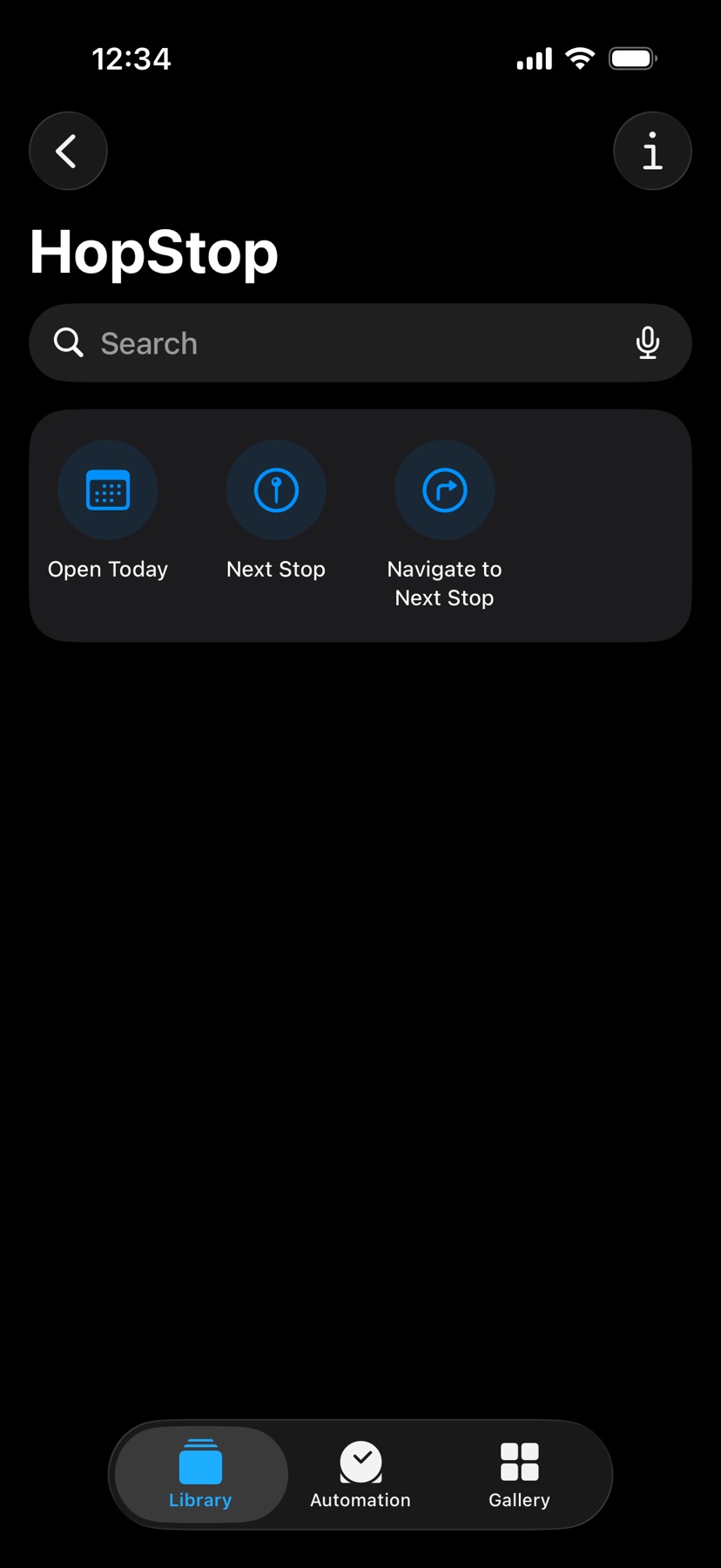
The Shortcuts app lists three HopStop actions: Open Today, Next Stop, and Navigate to Next Stop. Run one from there, or add it to your Home Screen.
Shown in HopStop 1.0.69 or later.