
Widget, Siri, and Pro
Your next stop on the home screen, three things to ask Siri, and what the one-time Pro purchase adds.
 1
2
3
4
1
2
3
4
- 1
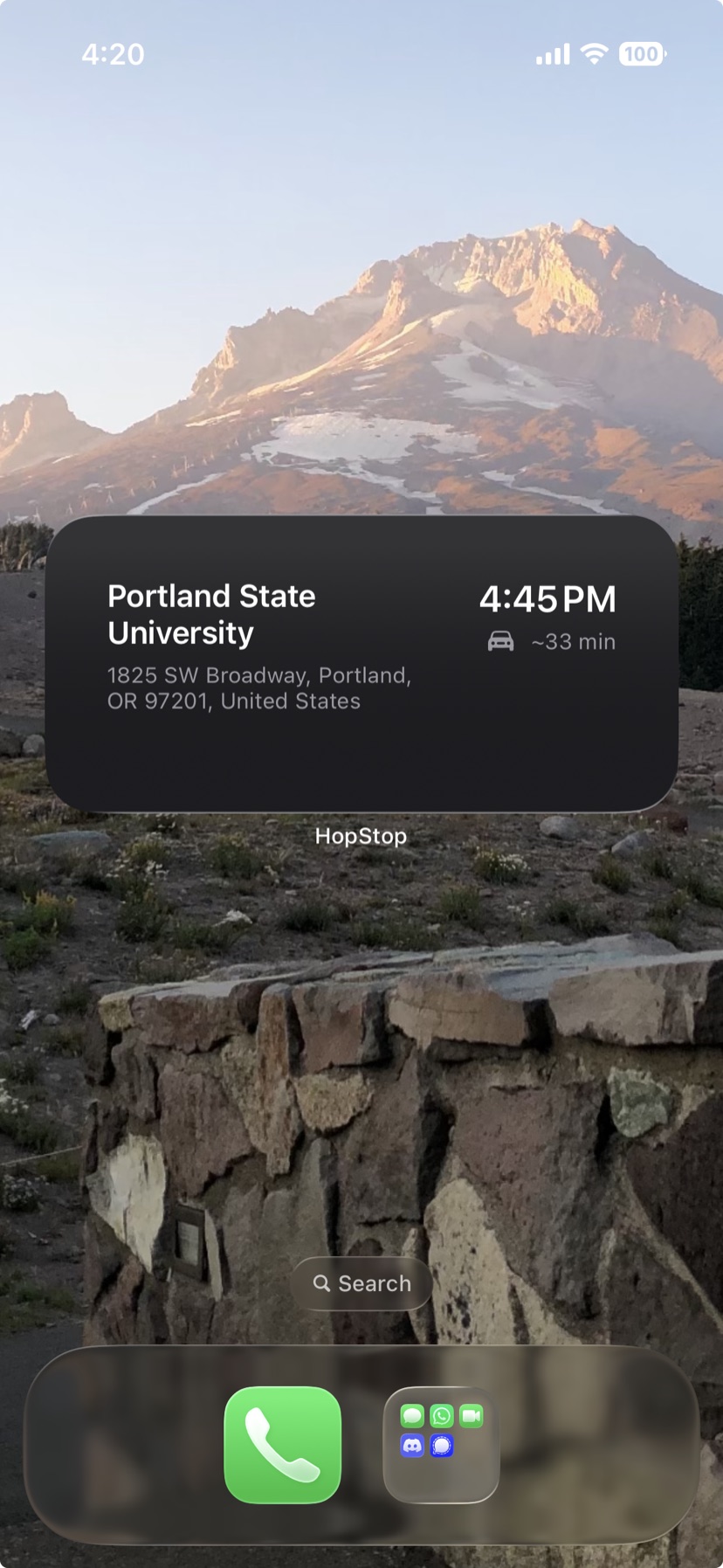
- Next Stop widgetPro
- Add it from the home screen widget gallery, where it's listed as Next Stop, in small or medium size. It shows today's next timed stop and moves on as each start time passes. Stops without a time don't appear. When the day is done it reads No upcoming stops, and without Pro it reads Upgrade to Pro. Available with Pro.
- 2
- Address
- Where the stop is.
- 3
- Drive time
- An estimate in minutes, shown when HopStop has one for the stop.
- 4
- Start time
- When the stop begins.
 5
6
7
5
6
7
- 5
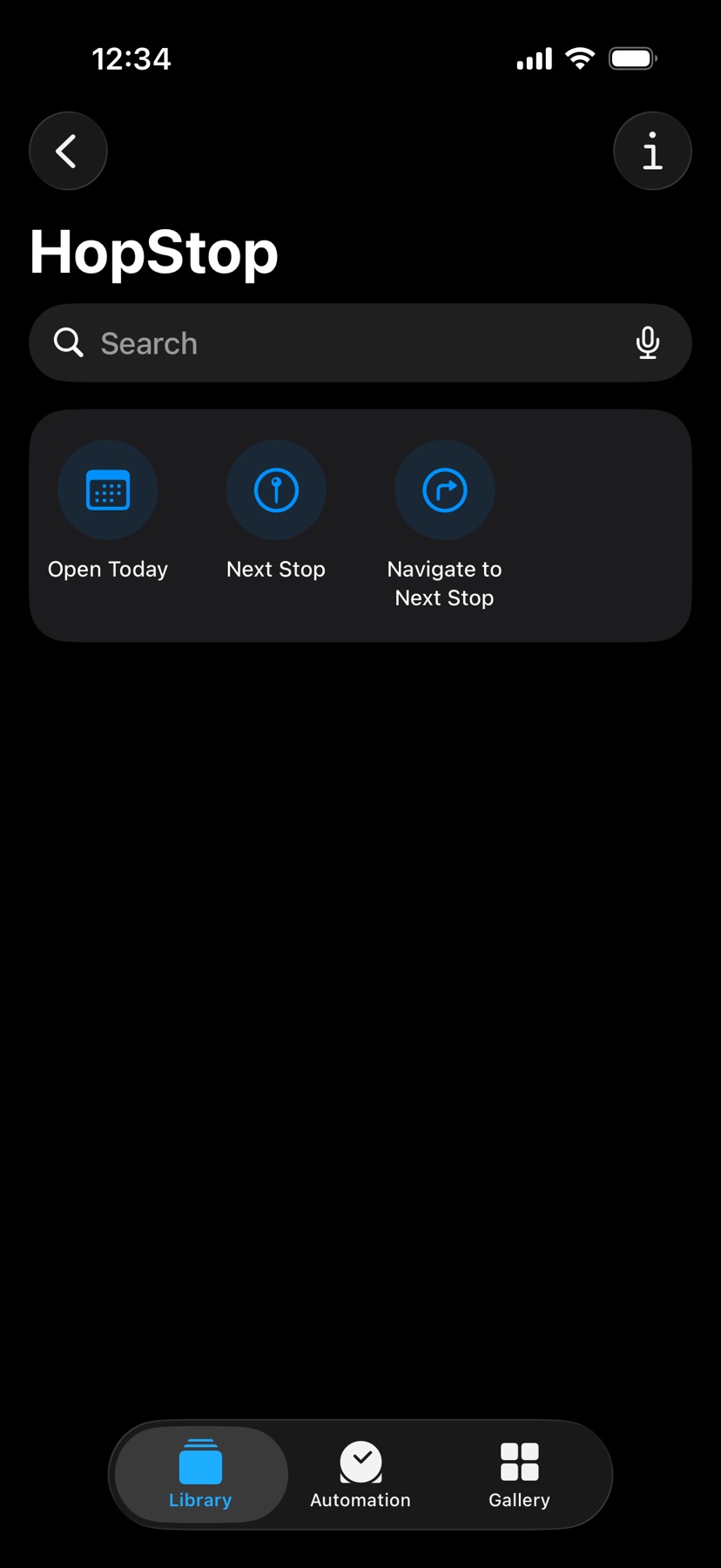
- Open Today
- Opens HopStop. Say "Open HopStop" or "Show my day in HopStop".
- 6
- Next Stop
- Siri reads out your next stop, its time, and its address without opening the app. Say "What is my next stop in HopStop?"
- 7
- Navigate to Next Stop
- Starts directions to your next stop in the app chosen under Settings → Map & Route → Open with. Say "Take me to my next HopStop" or "Navigate to my next HopStop".
Next Stop and Navigate to Next Stop open HopStop instead when the app hasn't loaded today in the last two hours. The widget and Siri always follow today, whichever day the map shows. All three shortcuts also appear in the Shortcuts app under HopStop. See also Ask Siri for your next stop.
What Pro unlocks
Pro is a one-time purchase of $14.99, with no subscription. Tap any Pro feature to open the upgrade screen, which also has Restore Purchases. Without Pro, Pro features carry a PRO tag. With Pro, the tags go, a PRO plate sits under the octagon in the map header, and a HopStop Pro card heads Settings.
- Any past or future day: tap the date in the header.
- Saved routes: Save Route, the Saved tab, Apply, and Merge Into…
- More than one Google account. The first is free.
- Mileage Log with Log Trip, Auto-log trips, Trip Categories, Vehicles, and CSV export.
- A daily summary under your list: stops, miles, and drive time.
- A total line of stops, miles, and drive time when you share the whole day.
- The Next Stop home screen widget.
- Seasonal app icons, from App Icon in Settings.
Pro missing on a new phone? See Pro is missing on my new phone.