
Share your route
Send the day's stops to a client, a partner, or yourself. Each stop goes out with its address and a Google Maps link, so it opens on any phone.
- 1
Share the whole day
Drag the sheet up to half height and tap Share at the bottom. Choose Messages, Mail, or any app on the share sheet.
- 2
Know what goes out
The message starts with the date, then lists each stop in route order with its name, address, and Google Maps link. Calendar events also carry their times. Excluded stops are left out.
A last line totals the stops, miles, and drive time. Available with Pro.Pro
- 3
Share one stop
Swipe right on a stop and tap Share. Only that stop is sent.
Share a few stops
Tap the expand button beside Add Stop to open the full list, then tap Select at the bottom. Every stop starts ticked. Untick the ones to keep back, then tap Share at the top, which shows how many are ticked.
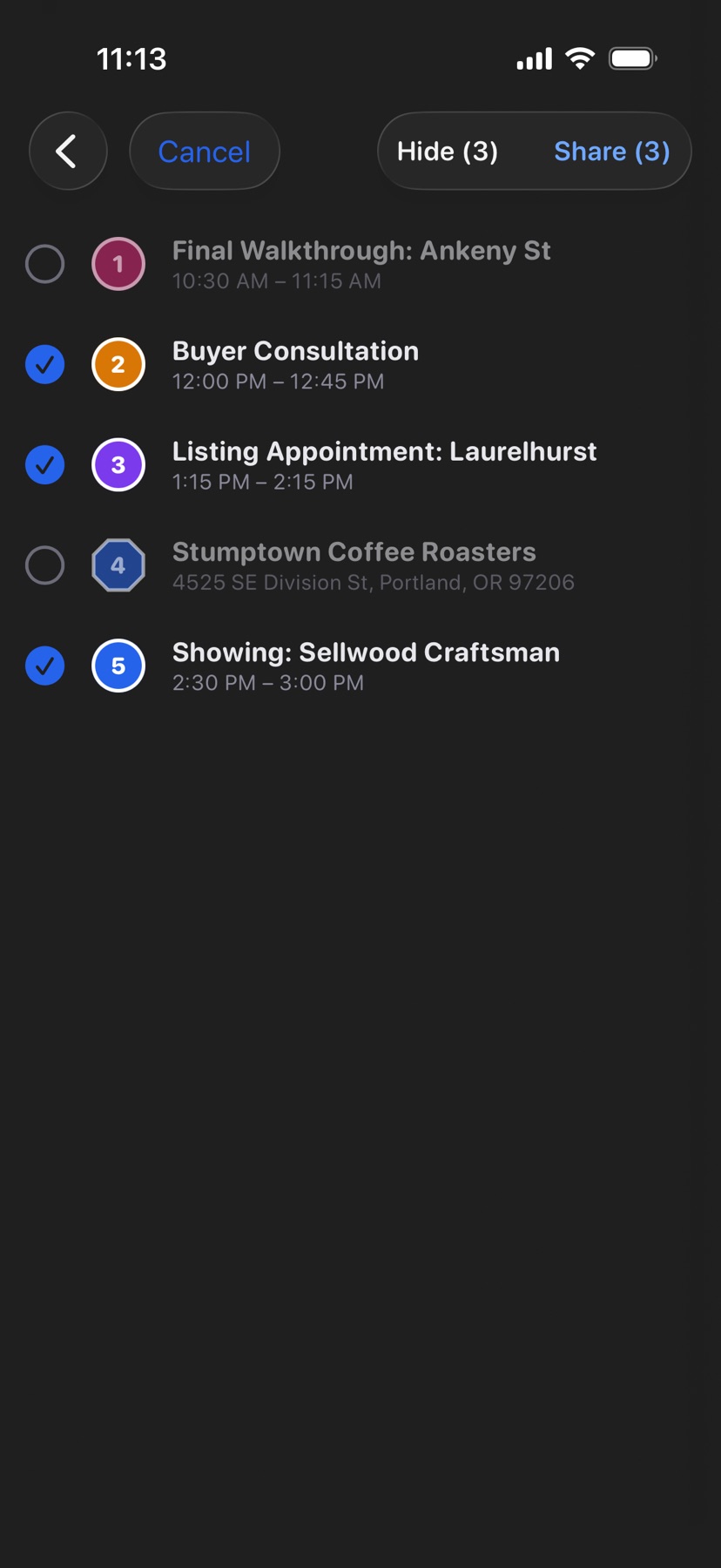
Shown in HopStop 1.0.69 or later.