
Event list
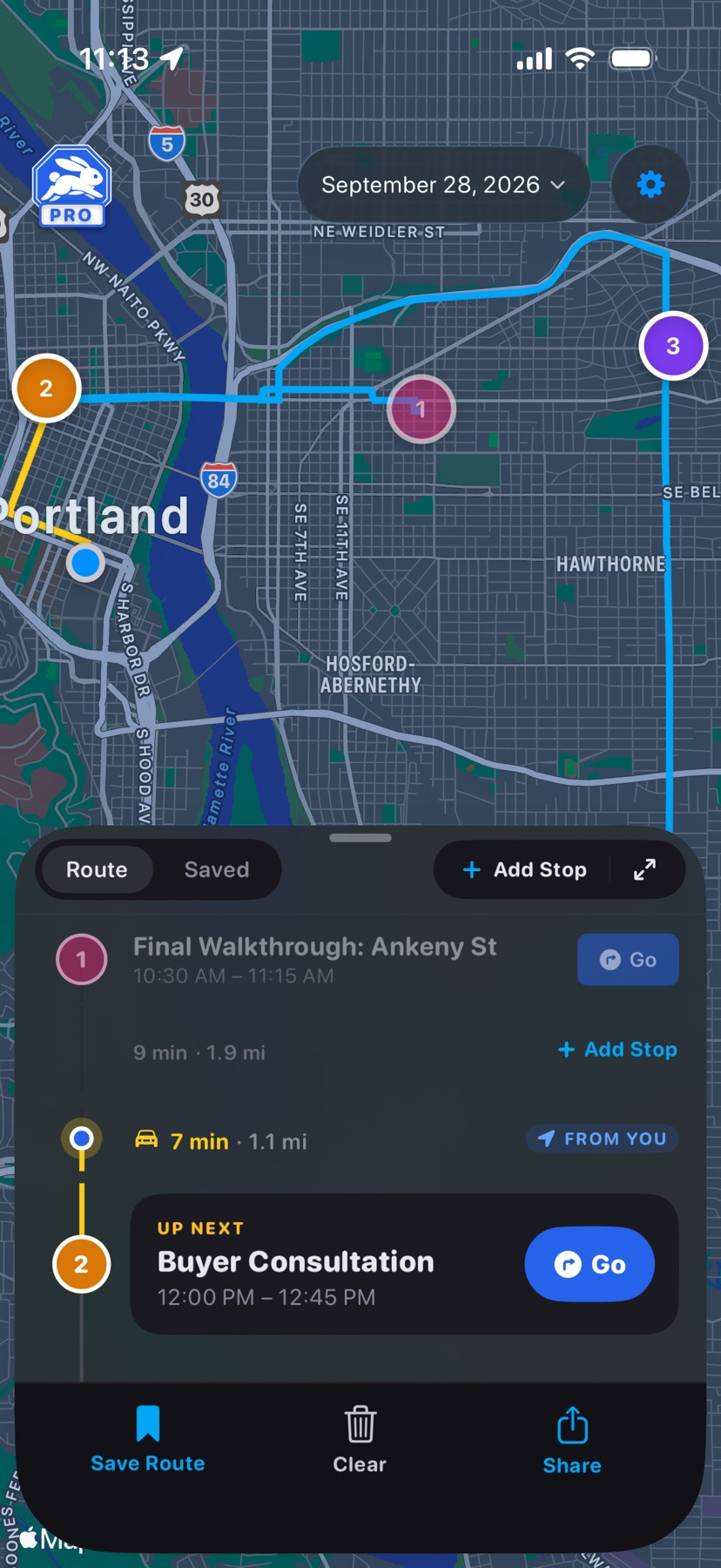
The sheet under the map. Drag it to peek, half, or full height; drag past half and the full list opens.
 1
2
3
4
5
1
2
3
4
5
- 1
- Stop card
- Number, title, and time, in the same color as its pin. Tap to expand for the address, notes, and Navigate. Swipe right for Edit and Share, left for Exclude. Press and hold to drag it into a new order.
- 2
- Up Next
- Marks the next stop on today's route.
- 3
- Drive time
- Minutes and miles from the stop above. It recalculates when you reorder, exclude, or add a stop.
- 4
- Add Stop, between stops
- Inserts a stop at this point in the route. Add Stop at the top of the sheet opens the same search.
- 5
- Share
- Sends the day as text: each stop with its time, address, and a Google Maps link.
The row of buttons under the list, from Save Route to Share, is covered in Tools under the list. See also Change a scheduled event.
Tools under the list
 6
7
8
9
6
7
8
9
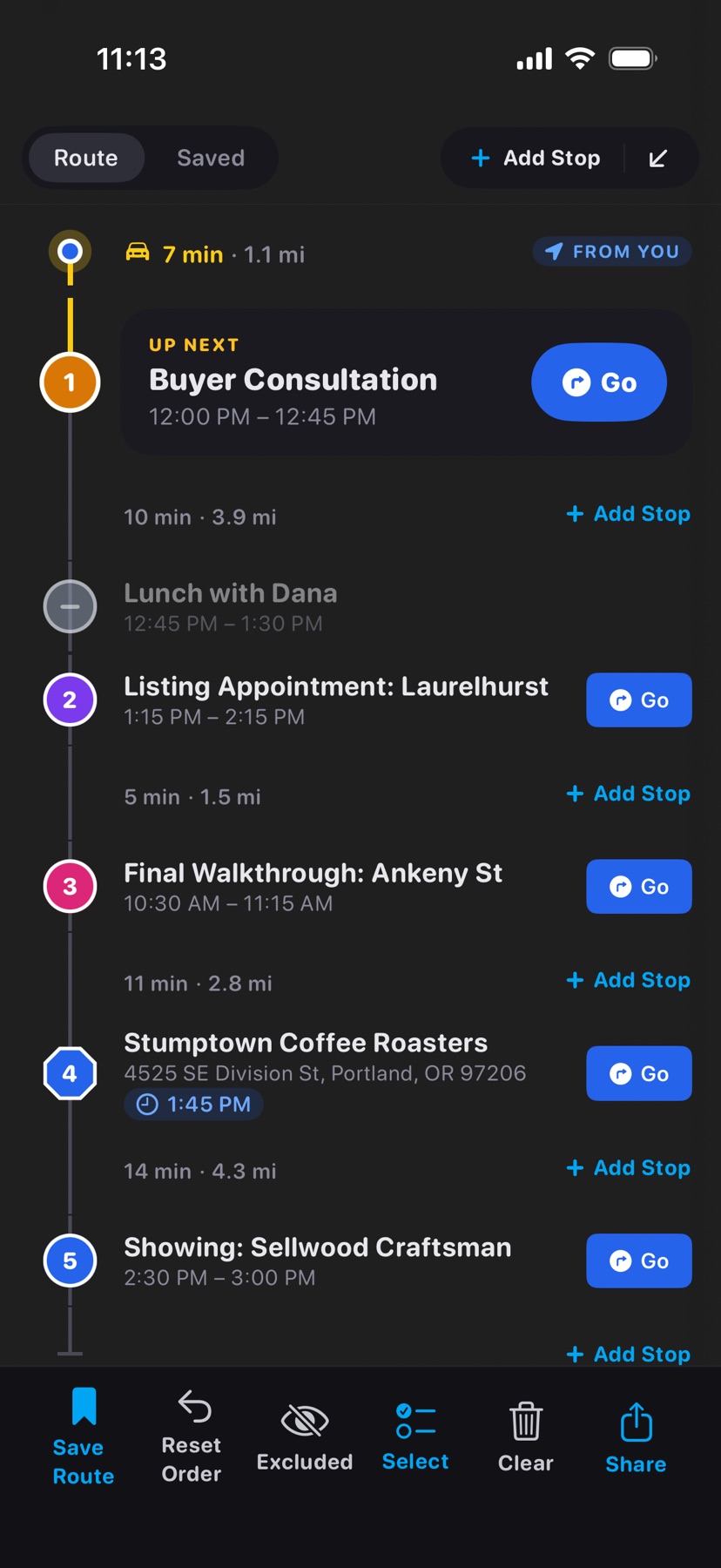
- 6
- Save RoutePro
- Saves the day's active stops as a named saved route. Greyed out on a day with no active stops. Available with Pro.
- 7
- Reset Order
- Appears after you drag stops into a new order. It puts the day back in calendar order, after asking.
- 8
- Excluded
- Appears when at least one event is excluded. Tap to hide excluded events from the list, and again to show them. The map still shows them as faded grey pins, and HopStop remembers your choice for every day.
- 9
- Clear
- Offers two choices. Reset to calendar wipes your edits and reloads the day from your calendar. Remove all stops empties the day; Reset to calendar brings it back later.
Share ends the row. In the full event list, Select joins it for bulk changes.